

 Back
to listing
Back
to listing
Timetable Management System for schools & Colleges
Future-Ready Timetable Management: One Solution for Schools and Colleges
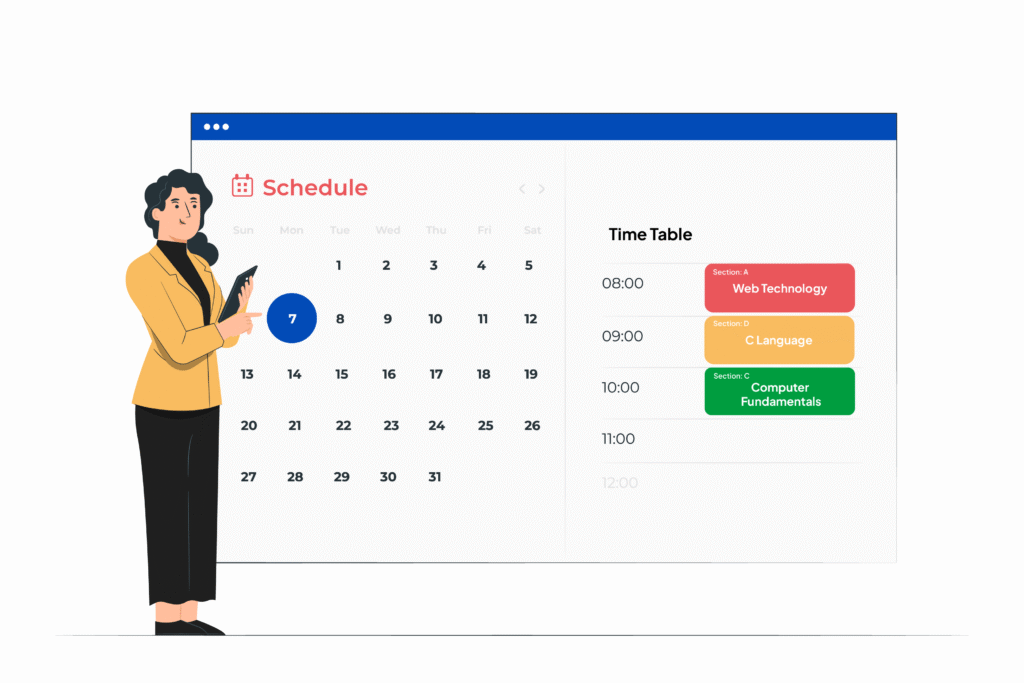
Efficient timetable management is at the core of every successful educational institution. Managing class schedules manually has always been a complex task, often prone to errors, overlapping classes, or unbalanced teacher workloads. EDU’s Timetable Module transforms this process by combining manual scheduling with AI-powered automation, helping schools, colleges, and universities streamline academic planning while ensuring flexibility, accuracy, and transparency.
Whether you are a K-12 school managing multiple grades or a university coordinating departments, EDU’s online timetable creator and lecture management system ensure that every stakeholder—from administrators to teachers and students—has real-time access to their schedules. EDU’s Timetable Module also functions as a complete timetable management system, giving institutions both manual and AI-powered scheduling options.
Manual Timetable Generation: Full Control
EDU allows institutions to generate timetables manually, giving full control over class-wise or teacher-wise scheduling. This method is ideal for schools or colleges with specific scheduling requirements or complex class structures.
Key Features of Manual Timetable Generation:
Class-wise Timetable: Assign subjects, periods, and teachers to each class while visualizing the full week.
Teacher-wise Timetable: Organize teaching schedules based on faculty availability, ensuring no overlaps.
Customizable Layouts: Create multiple timetable layouts to suit departments, grades, or special programs.
Conflict Detection: Automatic alerts for overlapping classes or double-booked teachers.
Manual scheduling in EDU is intuitive and visual, making it simple for administrators to adjust periods for electives, labs, or extracurricular activities without starting from scratch.
AI-Powered Timetable: Intelligent Scheduling
For institutions that want speed and efficiency, EDU offers an AI-powered timetable generation system. By inputting parameters such as teacher availability, classroom resources, and student groupings, the system automatically creates an optimized schedule that satisfies all constraints.
Benefits of AI-Powered Timetables:
Conflict-Free Scheduling: Ensures no teacher is allocated to two classes at the same time.
Balanced Workload: Distributes teaching hours evenly among faculty members.
Customization: Adjust schedules for labs, electives, or specific departmental needs.
Time-Saving: Eliminates hours of manual scheduling and rework.
The AI system allows schools and colleges to maintain academic continuity and adapt quickly to changes such as staff leaves or additional courses.
Balanced Faculty Workload
A key challenge in academic management is maintaining a balanced workload for teachers. EDU’s timetable module automatically prevents double allocations, ensuring every teacher has an appropriate number of periods without overburdening.
Benefits for Faculty:
Optimized schedules reduce stress and improve teaching efficiency.
Faculty can view their personal timetable via the online class application for teachers.
Administrators can generate faculty workload reports for better resource planning.
By balancing workloads, EDU ensures that teachers remain productive and students receive consistent learning experiences.
Integration with Online Teaching Platforms
In the era of hybrid learning and unexpected disruptions, online classes have become a necessity. EDU’s timetable module integrates seamlessly with Zoom, Google Meet, Microsoft Teams, and other online meeting platforms, allowing:
Scheduling of online classes alongside offline sessions.
Quick switching between offline and online classes during emergencies or unforeseen circumstances.
This feature ensures institutions can maintain continuous learning, even in unpredictable situations.
Accessible Timetables for All Stakeholders
EDU emphasizes transparency by providing real-time timetable access for every stakeholder:
Administrators: View all timetables across classes and departments, make changes, and generate reports.
Teachers: Access personal schedules, manage classes, and view substitute allocations.
Students: See class schedules, elective periods, and online session links.
Optional parental access provides a holistic view of student schedules, enhancing communication and involvement.
Reports and Analytics
EDU doesn’t just create timetables; it provides actionable reports and analytics for data-driven decision-making:
Class Reports: Overview of periods, subjects, and teacher allocations.
Teacher Reports: Track workload distribution, free periods, and substitute patterns.
Resource Utilization Reports: Monitor classroom usage, labs, and facilities.
These insights allow institutions to identify inefficiencies and optimize schedules for maximum effectiveness.
Customizable Layouts
Every institution has unique scheduling needs, which is why EDU provides customizable timetable layouts:
Daily, Weekly, and Monthly Views: Flexible visualization for administrators, teachers, and students.
Department-wise or Class-wise Layouts: Tailor schedules for each department, grade, or section.
Color-Coded Timetables: Easily distinguish subjects, teachers, or special periods.
Export Options: Share schedules in PDF, Excel, or formats for convenience.
Custom layouts ensure timetables align perfectly with your institution’s operational and visual preferences.
Automated Substitute Teacher Recommendations
EDU’s timetable module also includes an automated substitute teacher allocation system:
When a teacher is unavailable, EDU recommends suitable substitutes automatically.
The system considers teacher specialization, availability, and current workload.
Ensures minimal disruption to learning, maintaining continuity in all classes.
This automation saves administrative time and ensures students always have access to qualified teaching staff.
Timetable Features for Schools and Colleges
EDU’s module integrates essential features for both schools and colleges. It works equally well as school timetable software for K-12 institutions and as a college timetable management system for higher education.
Online Timetable Creator & Maker: Quickly create or generate schedules for classrooms, labs, and online sessions.
Lecture Management System: Efficiently organize lectures, tutorials, and special sessions.
Course Management Software Integration: Aligns timetables with broader academic planning.
Student Academic Management System: Monitor student attendance, class schedules, and performance.
Online Class Application for Teachers: Teachers can manage schedules, online links, and class materials from one platform.
Real-Time Updates: Any schedule changes automatically reflect across teacher and student portals.
By combining these features, EDU provides a comprehensive solution for modern academic scheduling.
Benefits of EDU’s Timetable Module
Efficiency and Accuracy: Reduces manual errors and saves administrative hours.
AI-Powered Scheduling: Optimizes resource allocation and balances faculty workload.
Seamless Online Integration: Supports hybrid or fully online classes effortlessly.
Real-Time Access: All stakeholders can view accurate schedules anytime.
Flexibility: Fully customizable layouts, views, and reports.
Automated Substitutions: Ensures classes run smoothly even when teachers are absent.
Data-Driven Insights: Reports and analytics provide actionable information for decision-making.
Whether your institution is a K-12 school, college, or university, EDU ensures efficient timetable management that improves academic operations and learning outcomes.
EDU vs Other ERP Timetable Solutions
While there are many ERP systems in India and globally, EDU stands out because of:
Dual Scheduling Options: Manual or AI-generated timetables to meet diverse needs.
Workload Optimization: Automatic conflict prevention and balanced faculty allocation.
Stakeholder Access: Timetables accessible to administrators, teachers, and students.
Online Class Integration: Seamless connection with all major virtual meeting platforms.
Automated Substitution: Minimizes disruptions during teacher absences.
Customizable Layouts & Reports: Flexible visualization and actionable analytics.
This makes EDU a modern, flexible, and reliable solution for schools, colleges, and universities.Whether you need a school timetable software for K-12 or a college timetable management system for higher education, EDU adapts to your needs.
Implementation and User Experience
EDU is designed for easy adoption and intuitive use:
User-Friendly Interface: Minimal training required for all stakeholders.
Web and Mobile Access: Timetables are accessible on any device.
Real-Time Updates: Changes in staff, courses, or rooms automatically sync.
Secure Access: Role-based visibility ensures appropriate access for admins, teachers, and students.
This ensures a smooth implementation process without disrupting existing workflows.
Conclusion
Timetable management is no longer a tedious administrative task. EDU’s Timetable Module combines manual scheduling, AI automation, online integration, real-time access, and automated substitutions to deliver a seamless academic planning experience.
By using EDU, schools, colleges, and universities can:
Optimize teacher workloads
Maintain conflict-free schedules
Adapt quickly to changing circumstances
Provide all stakeholders with real-time access
Generate actionable reports for better decision-making
EDU is not just a timetable management system; it is a strategic academic management partner, ensuring smooth operations, uninterrupted learning, and academic excellence.
Experience intelligent, adaptive, and efficient timetable management with EDU—where education meets innovation.Book Your Demo today!
Discover More Features – From admissions to finance, one platform does it all.
Frequently Asked Questions
What is a Timetable Management System?
A timetable management system is an advanced digital tool that helps schools, colleges, and universities automate the creation, management, and modification of class schedules. Instead of relying on manual spreadsheets or paper charts, institutions can use this software to define periods, subjects, teacher availability, and classroom capacities — and automatically generate conflict-free timetables.
Modern solutions like EDU’s Timetable Management Module use AI-powered logic to detect overlaps, balance teacher workloads, and instantly adjust for changes such as new courses or staff absences. It ensures transparency, flexibility, and time savings for administrators and teachers alike.
Why do schools and colleges need timetable management software?
Institutions in India handle multiple subjects, sections, and teachers—making manual scheduling error-prone and time-consuming. A timetable management software like EDU saves hours of administrative effort, ensures no overlapping periods, and provides real-time access to all stakeholders through an online platform.
What are the Benefits of Timetable Management Software?
A timetable management software offers multiple benefits that simplify academic planning and optimize institutional efficiency:
Time Savings: Automates complex scheduling tasks that would otherwise take days.
Error Reduction: Prevents overlapping classes, double-booked teachers, or empty classrooms.
Balanced Workload: Ensures equitable teacher allocation, improving morale and efficiency.
Flexibility: Supports both manual and AI-generated scheduling, adaptable to all boards and levels.
Real-Time Updates: Reflects timetable changes instantly for students, teachers, and administrators.
Integration with Online Platforms: Connects with Zoom, Google Meet, or Microsoft Teams for hybrid learning.
Data Insights: Generates reports on faculty utilization, subject distribution, and classroom occupancy.
Paperless & Eco-Friendly: Reduces paperwork and promotes digital transformation in education.
With EDU’s timetable management system, institutions gain a single platform that delivers accuracy, automation, and academic agility, ensuring uninterrupted learning across all departments.
How Does a Timetable Management System Work?
A timetable management system collects essential scheduling data—such as subjects, class sizes, teacher availability, and room resources—and processes it through a structured algorithm. The result is a conflict-free, balanced timetable that aligns with institutional constraints. EDU’s AI-powered version also allows instant re-generation of schedules if a teacher is absent or a new section is added, keeping operations smooth and adaptive.
Who Can Use a Timetable Management System?
This system is designed for school administrators, academic coordinators, teachers, and students.
Administrators can create and modify master timetables; teachers can view personal schedules and request changes; and students can access updated class timings instantly. Colleges and universities can also use it for multi-department scheduling, ensuring streamlined coordination across faculties.
What Problems Does a Timetable Management System Solve?
Traditional manual scheduling often leads to teacher overload, classroom conflicts, and last-minute adjustments. EDU’s timetable software eliminates these issues by automating schedule creation, detecting overlaps, and balancing workloads. It also ensures that students receive consistent class timings and teachers experience fewer disruptions, ultimately improving overall academic quality.
Can a Timetable Management System Be Customized for Indian Schools?
Yes. EDU’s system supports CBSE, ICSE, IB, and State Board structures, with full customization for subject codes, class durations, electives, and departmental layouts. Schools can define their own timetable templates, incorporate regional holidays, and generate class-wise or teacher-wise timetables according to local academic calendars.
Is It Possible to Manage Online or Hybrid Classes with EDU’s Timetable System?
Absolutely. EDU integrates directly with Zoom, Google Meet, and Microsoft Teams, allowing institutions to manage in-person and online classes within one unified timetable. Teachers can attach meeting links directly to class slots, while students access them from their dashboards—making hybrid education effortless and consistent.
How Secure and Accessible Is a Timetable Management System?
EDU’s system uses role-based access controls to protect institutional data. Administrators, teachers, students, and parents each have distinct logins and permissions. The software is cloud-based and mobile-friendly, enabling secure access anytime, anywhere — especially valuable for multi-branch schools and universities.
Can Timetable Management Software Handle Substitute Teachers Automatically?
Yes. When a teacher is absent, EDU’s system automatically identifies available, qualified substitutes based on subject specialization and workload balance. This ensures classes continue without disruption and maintains student learning consistency — a crucial advantage for large institutions.